AWS Cloud Cost Optimization: Automatically Clean Up EBS Snapshots & S3 Buckets Using Lambda

Hi, I'm KirtiI’m actively learning AWS, Python automation, and cloud best practices through real-world projects. Every challenge is a step forward, and every solution is something worth sharing. On this blog, you’ll find: Simplified guides on AWS core services Lessons from my journey breaking into cloud engineering I believe in learning in public—and this blog is where I document my progress, challenges, and wins.
Learn how to reduce AWS storage costs by automatically deleting stale EBS snapshots and unused S3 buckets using Python and AWS Lambda. Includes full code and tutorial steps!
Introduction
Cloud platforms like AWS have made it ridiculously easy to spin up infrastructure in minutes. But let’s be honest it’s just as easy to forget to tear things down when you're done. Over time, those “harmless leftovers” start quietly adding up on your bill especially things like unused EBS snapshots or forgotten S3 buckets from old projects.
Been there, done that.
So in this blog, I’ll walk you through a hands-on solution I built to automatically clean up stale AWS resources using Lambda functions and Python. Whether you’re experimenting with AWS, building your portfolio, or managing infra in a small team, this can help you avoid surprise charges without needing to manually click through the console.
The Problem: Forgotten = Expensive
It might seem like a few old snapshots or buckets won’t make a dent but they’re sneaky. EBS snapshots keep racking up storage costs even if the original volume is long gone. And S3 buckets? They often hang around way past their prime maybe you used them for logs, quick backups, or test data during a sprint, then forgot all about them.
The result? Dozens of idle resources sitting in your account, charging you every month and not doing anything useful. Now imagine this happening across multiple accounts, regions, and projects.
That’s why automation is your best friend.
What We're Going to Build
We’re going to create two AWS Lambda functions, both written in Python:
One to automatically find and delete stale EBS snapshots.
Another to detect and delete empty or inactive S3 buckets.
These functions can be triggered on a schedule using Amazon EventBridge (like once a week), or run manually whenever you want to clean house.
Once deployed, they work quietly in the background like a digital janitor for your AWS account helping you save money and keep things tidy.
What You Need
✅ AWS account
✅ Familiarity with the AWS Console.
✅ Python 3.7+ installed
✅ Boto3 SDK (pip install boto3)
✅ An IAM role for Lambda with the following permissions:ec2:DescribeSnapshots,ec2:DeleteSnapshot,ec2:DescribeInstancess3:ListBuckets,s3:ListObjectsV2,s3:DeleteBucketPart 1 – EBS Snapshot Cleaner
The Problem -
Snapshots are created for AMIs, backups, or during updates but we often forget to delete them.
If they’re not tied to a running instance or volume, they just sit there… charging you.
The Solution -
We’ll write a Lambda function that:
Gets all snapshots owned by your account
Checks if they are attached to a volume
Confirms the volume is in use by a running EC2 instance
Deletes the snapshot if not
Code: Stale_EBS_delete.py
import boto3

def lambda_handler(event, context):
    ec2 = boto3.client('ec2')
    response = ec2.describe_snapshots(OwnerIds=['self'])

    instances_response = ec2.describe_instances(Filters=[{'Name': 'instance-state-name', 'Values': ['running']}])
    active_instance_ids = set()
    for reservation in instances_response['Reservations']:
        for instance in reservation['Instances']:
            active_instance_ids.add(instance['InstanceId'])

    for snapshot in response['Snapshots']:
        snapshot_id = snapshot['SnapshotId']
        volume_id = snapshot.get('VolumeId')

        if not volume_id:
            ec2.delete_snapshot(SnapshotId=snapshot_id)
            print(f"Deleted snapshot {snapshot_id} (no volume).")
        else:
            try:
                volume_response = ec2.describe_volumes(VolumeIds=[volume_id])
                if not volume_response['Volumes'][0]['Attachments']:
                    ec2.delete_snapshot(SnapshotId=snapshot_id)
                    print(f"Deleted snapshot {snapshot_id} (volume unattached).")
            except ec2.exceptions.ClientError as e:
                if e.response['Error']['Code'] == 'InvalidVolume.NotFound':
                    ec2.delete_snapshot(SnapshotId=snapshot_id)
                    print(f"Deleted snapshot {snapshot_id} (volume not found).")

    print("Snapshot cleanup complete.")
How to Test It
Go to AWS Lambda Console
Create a new function and paste the code
Create a test event (any dummy data will do)
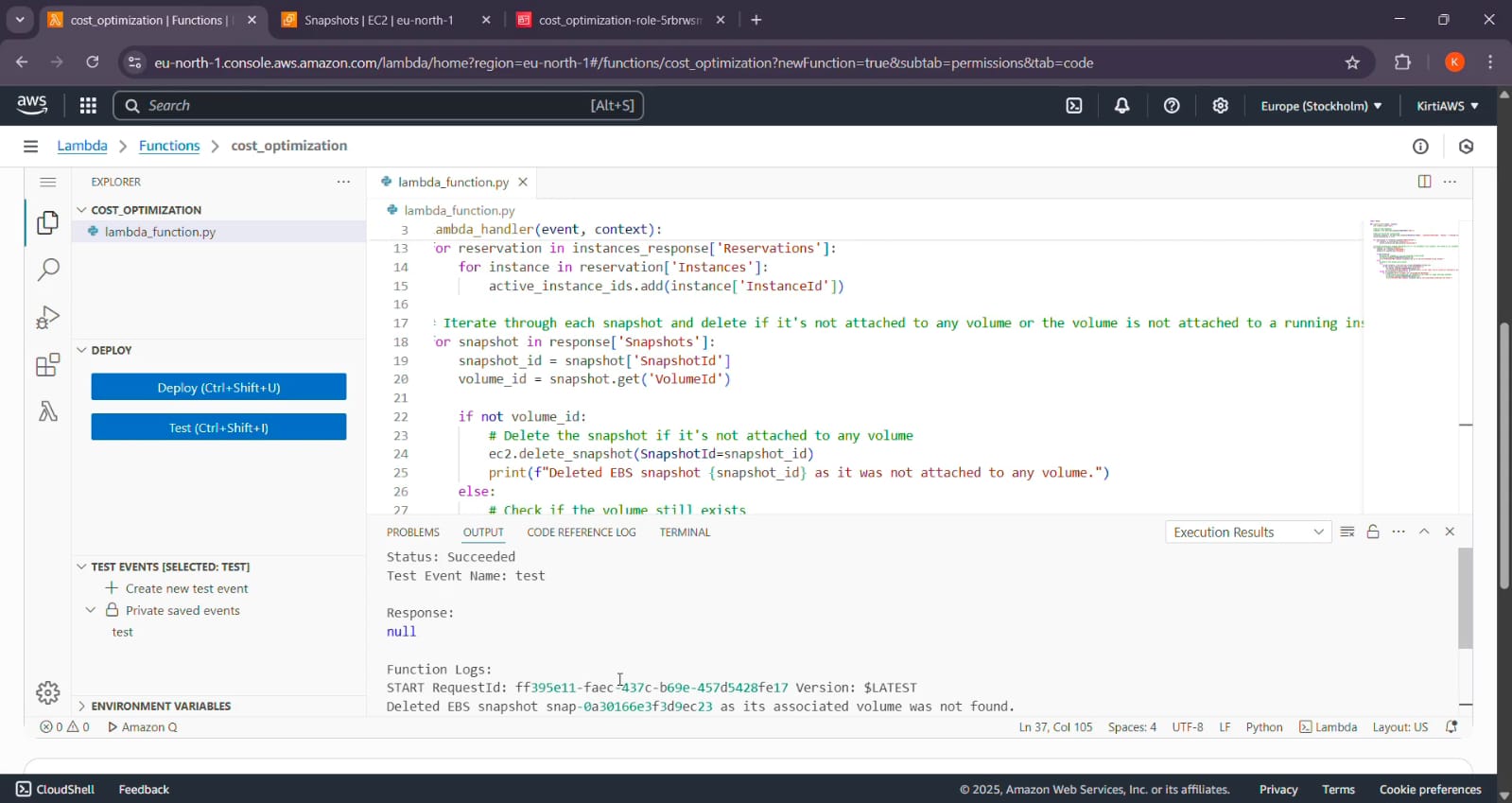
The code will Exceuted and finally EBS snapshot will be deleted
Screenshot :
Part 2 – S3 Bucket Cleaner
The Problem
S3 buckets are often created for logs, backups, or experiments but many of them go unused for months.
They still occupy space and may even hold versioned data or lifecycle policies.
The Solution
We’ll write another Lambda function that:
Lists all S3 buckets in the account
Checks if the bucket is empty
Or, if not empty, whether the most recent object is older than 30 days
Deletes the bucket if it qualifies
Screenshot :
Code: Stale_s3_delete.py
import boto3
from datetime import datetime, timedelta

def lambda_handler(event, context):
    s3 = boto3.client('s3')
    response = s3.list_buckets()
    current_time = datetime.now()
    cutoff_time = current_time - timedelta(days=30)

    for bucket in response['Buckets']:
        bucket_name = bucket['Name']
        objects_response = s3.list_objects_v2(Bucket=bucket_name)

        if 'Contents' in objects_response:
            last_modified = max(obj['LastModified'] for obj in objects_response['Contents'])
            if last_modified < cutoff_time:
                print(f"Deleting stale bucket: {bucket_name}")
                s3.delete_bucket(Bucket=bucket_name)
        else:
            print(f"Deleting empty bucket: {bucket_name}")
            s3.delete_bucket(Bucket=bucket_name)
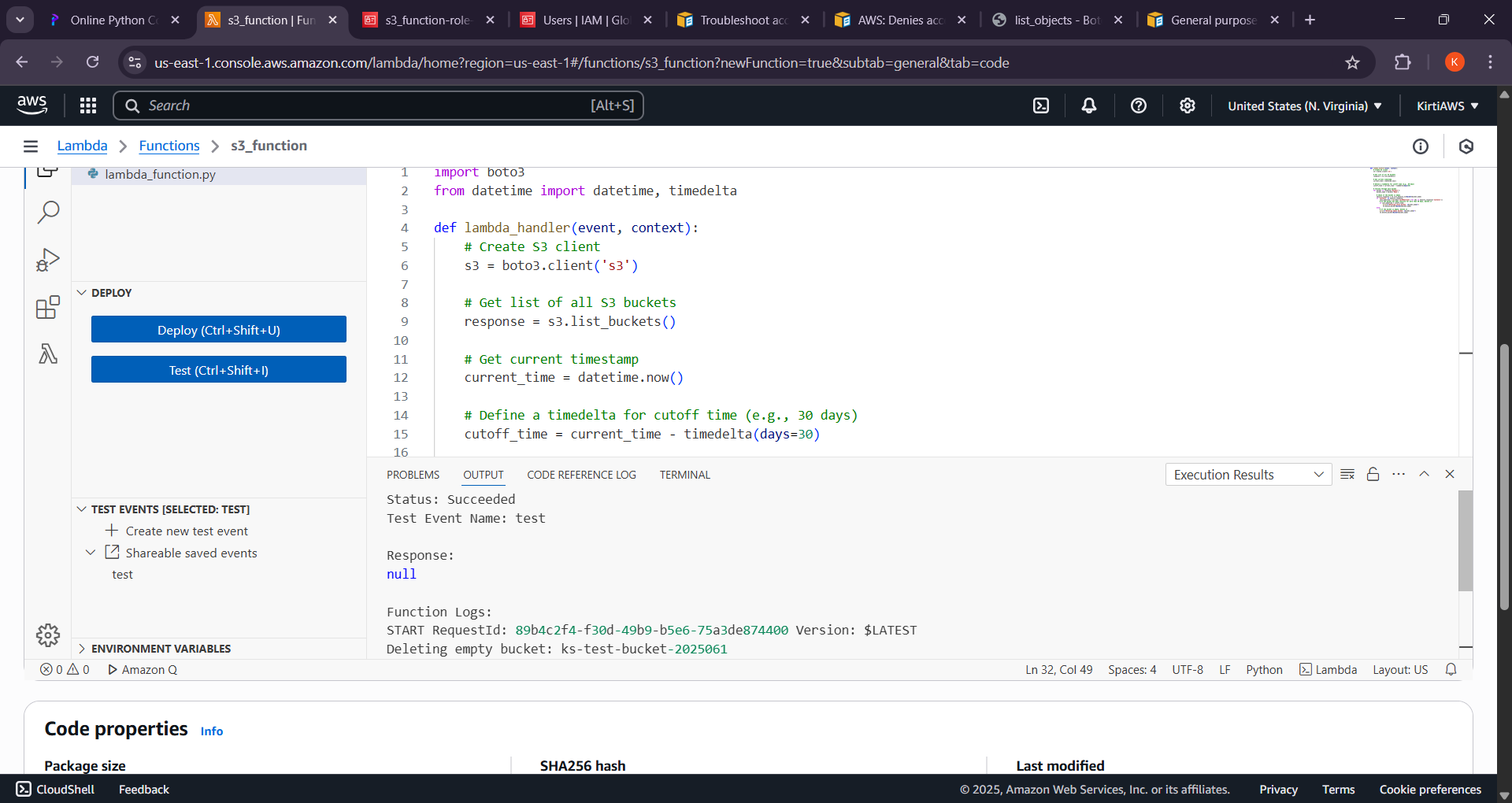
ScreenShot :
Safety Tips Before Deploying
Always test in a non-production environment
Add safeguards like tag filters, dry runs, or email notifications
Monitor behavior using CloudWatch logs
Use AWS Cost Explorer to track impact over time
Conclusion
This small automation project can have a big impact on your AWS bill.
Instead of manually cleaning up snapshots and buckets, you’ve now got a hands-free solution that handles it for you.
Ready to get started? 👉 Check out the GitHub repo
Feel free to fork the repo, customize the rules to match your needs , and let the automation do the rest.


